
Flyv AI Emerges as a Streamlined Hub for Free Image-to-Video and Text-to-Video Creation
 admin
4 min read
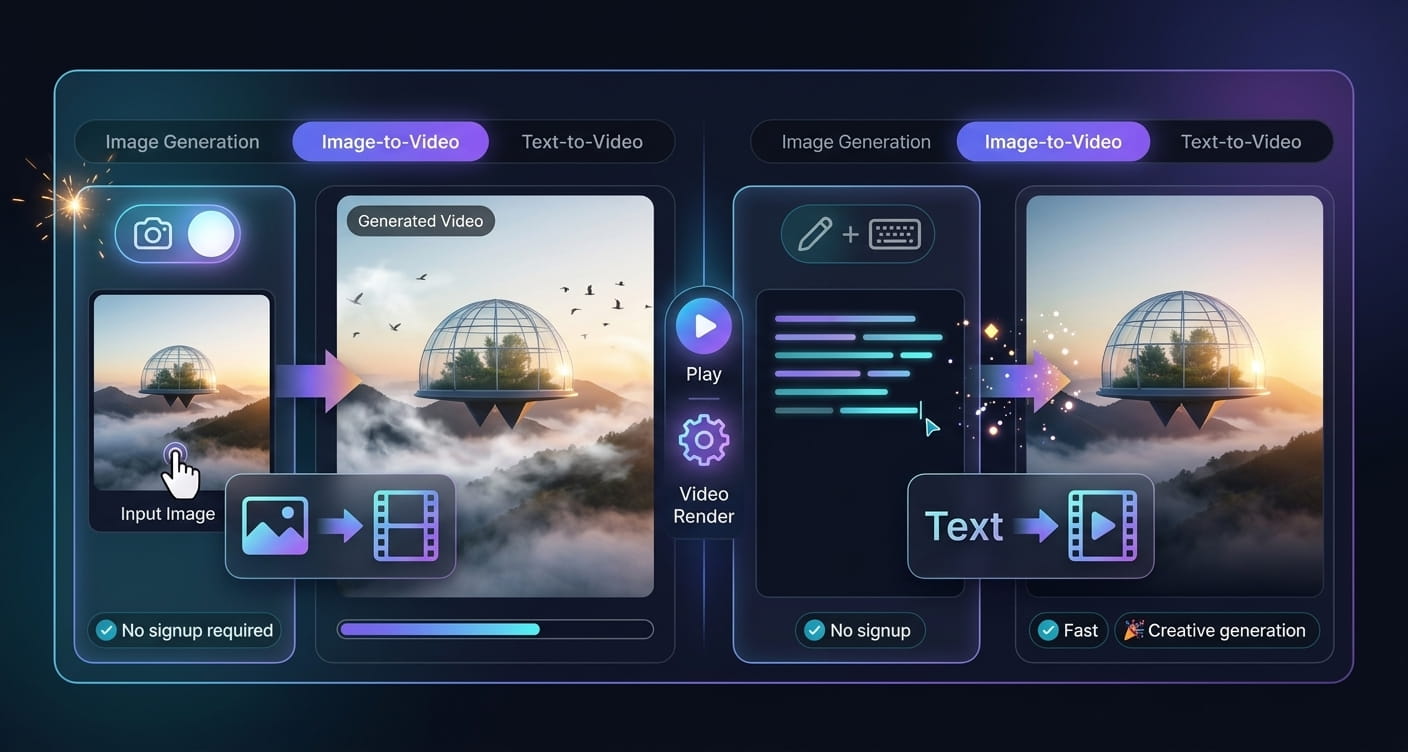
As generative artificial intelligence shifts from experimental novelty to an everyday production staple in 2026, content creators and digital marketers are actively seeking accessible tools that eliminate steep technical barriers. Entering this fast-moving landscape is Flyv AI, a web-based generative video platform designed to transform static photographs and written prompts into dynamic motion clips. Accessible directly through its dedicated web portal at Flyv AI Free Image-to-Video, the platform consolidates two of the most sought-after generative workflows—Image-to-Video AI and Text-to-Video AI—into a browser-first interface built for rapid creative experimentation.Bridging Static Imagery and Motion SynthesisThe surge in demand for short-form vertical video across platforms like Instagram Reels, YouTube Shorts, and TikTok has placed immense pressure on creators to maintain high publishing frequencies. Traditional video editing requires timelines, keyframing, and specialized software. Flyv AI addresses this bottleneck by automating motion synthesis through four core capabilities: Image-to-Video AI: Users upload an existing still image—such as a portrait, product shot, landscape, or digital illustration—and let the neural engine infer depth, physics, and natural camera movement to animate the scene.Text-to-Video AI: Creators without source photography can type descriptive natural-language prompts to generate original video sequences from scratch.AI-Powered Video Creation: By handling lighting consistency and frame-to-frame coherence automatically, the platform allows solo creators to prototype visual concepts in seconds rather than hours.Creative Video Generation: Beyond standard social clips, the engine supports stylized visual experimentation, enabling artists and marketers to test multiple visual hooks before committing to full-scale campaigns.(Internal Link Suggestion: Link anchor text “short-form vertical video” to your site’s guide on /social-media-video-trends-2026)How Flyv AI Fits Into the 2026 Generative Video LandscapeAcross the broader AI media sector, 2026 has marked a transition toward faster browser-based rendering, improved temporal consistency, and accessible freemium tiers. While enterprise-heavy studios often rely on complex APIs and multi-model pipelines—such as Runway’s generative video suite or Canva’s integrated AI animation tools—lightweight web utilities like Flyv AI cater specifically to speed and zero-friction onboarding. Industry analysts note that modern video creation increasingly favors hybrid workflows: creators generate high-resolution stills using dedicated image engines, then pass those assets into specialized animation platforms like Flyv AI to add camera pans, environmental motion, and subtle subject movement. (Internal Link Suggestion: Link anchor text “dedicated image engines” to your site’s roundup on /best-free-ai-image-generators)Practical Use Cases for Creators and BusinessesBecause browser-based AI video generators require no local GPU hardware, platforms like Flyv AI are seeing rapid adoption across several everyday verticals:Social Media & Reels Production: Turning static travel photos, fashion lookbooks, or digital artwork into scroll-stopping loops for Instagram Reels and TikTok.E-Commerce Product Showcases: Animating clean product photography with subtle lighting shifts or dynamic reveals without booking a physical video shoot. Rapid Storyboarding: Allowing filmmakers, advertisers, and agencies to visualize camera angles and scene pacing before investing in live-action production.Digital Storytelling: Bringing historical photographs, book covers, or concept art to life for educational channels and podcasts. (Internal Link Suggestion: Link anchor text “E-Commerce Product Showcases” to your article on /ai-tools-for-ecommerce-marketing)Best Practices for High-Quality Image-to-Video ResultsTo get clean, artifact-free motion when using Flyv AI’s Image-to-Video tool, digital artists recommend following core generative framing principles: Start With High-Clarity Source Images: Sharp edges, unobstructed subjects, and well-defined foreground-background separation help the AI accurately calculate depth maps. Keep Prompts Focused on Motion: Since the uploaded image already defines the subject and style, text instructions work best when they describe specific camera actions (e.g., slow push-in, gentle wind in hair, or panning left) rather than re-describing the entire scene. Iterate in Short Segments: Generating concise clips and stitching the strongest takes together in an editor ensures maximum visual consistency across longer narratives. As discoveries curated by tech communities like NextGen Finds continue to spotlight accessible web utilities and open-source repositories, tools like Flyv AI underscore a clear industry trajectory: cinematic motion design is no longer locked behind expensive software suites, placing dynamic video creation directly into the hands of anyone with an image and a browser.Summary of Links Included for SEOExternal Links (5):https://flyv.ai/free-image-to-video/ (Primary platform & feature anchor)https://runwayml.com/ (Industry context / competitive landscape)https://www.canva.com/ai-image-to-video/ (Design ecosystem reference)https://flyv.ai/free-image-to-video/ (Contextual CTA in workflow section)https://flyv.ai/free-image-to-video/ (Best practices section anchor)Internal Link Placeholders (3):/social-media-video-trends-2026/best-free-ai-image-generators/ai-tools-for-ecommerce-marketing